How to buy

Pay with crypto — step by step

Follow these steps on riskdesk.dev. Use the same coin and network on NOWPayments and in your wallet.

Before you start: open Pricing · have your email and MT5 account number ready · type both carefully.

Click / tap Check / type

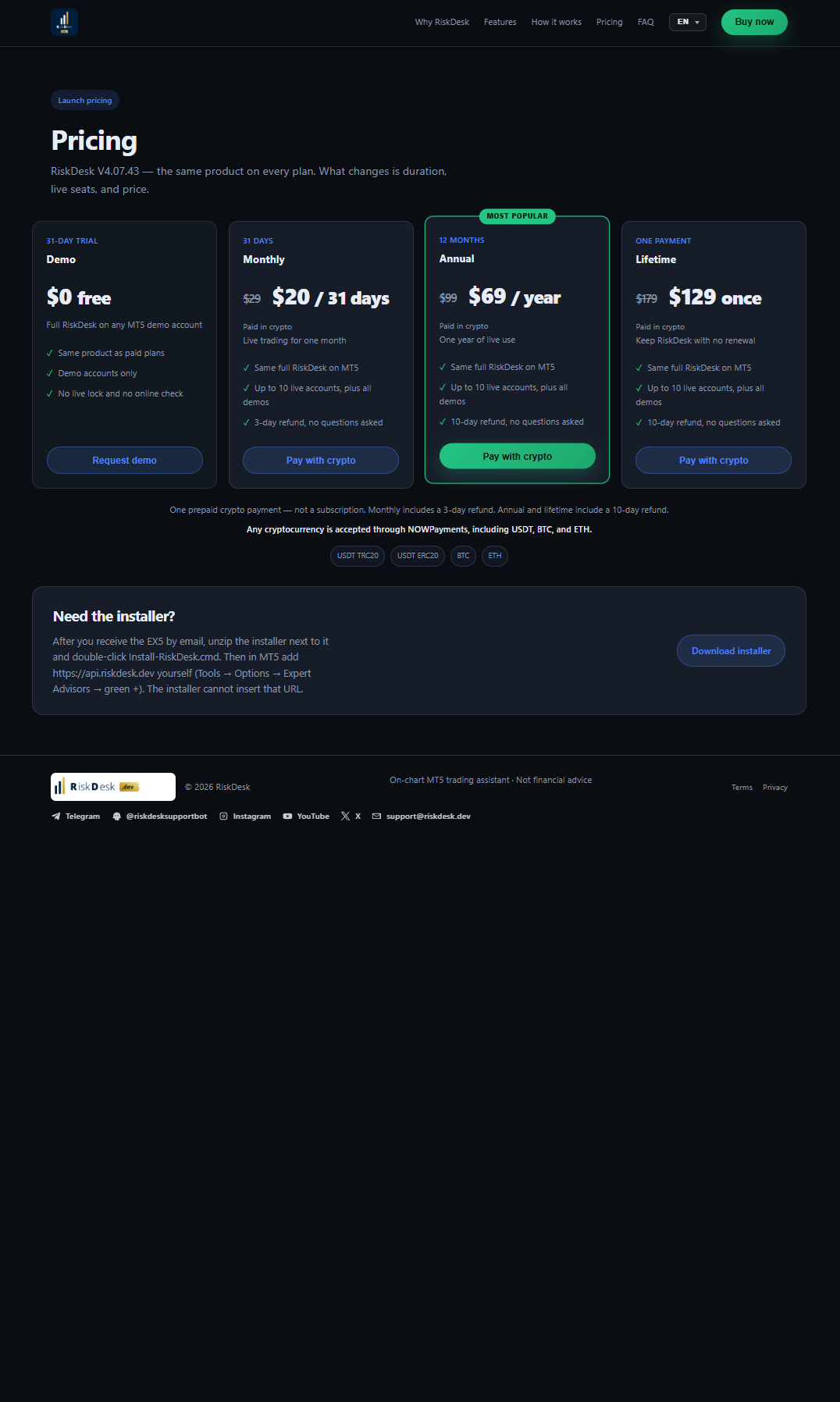
1 Choose your plan

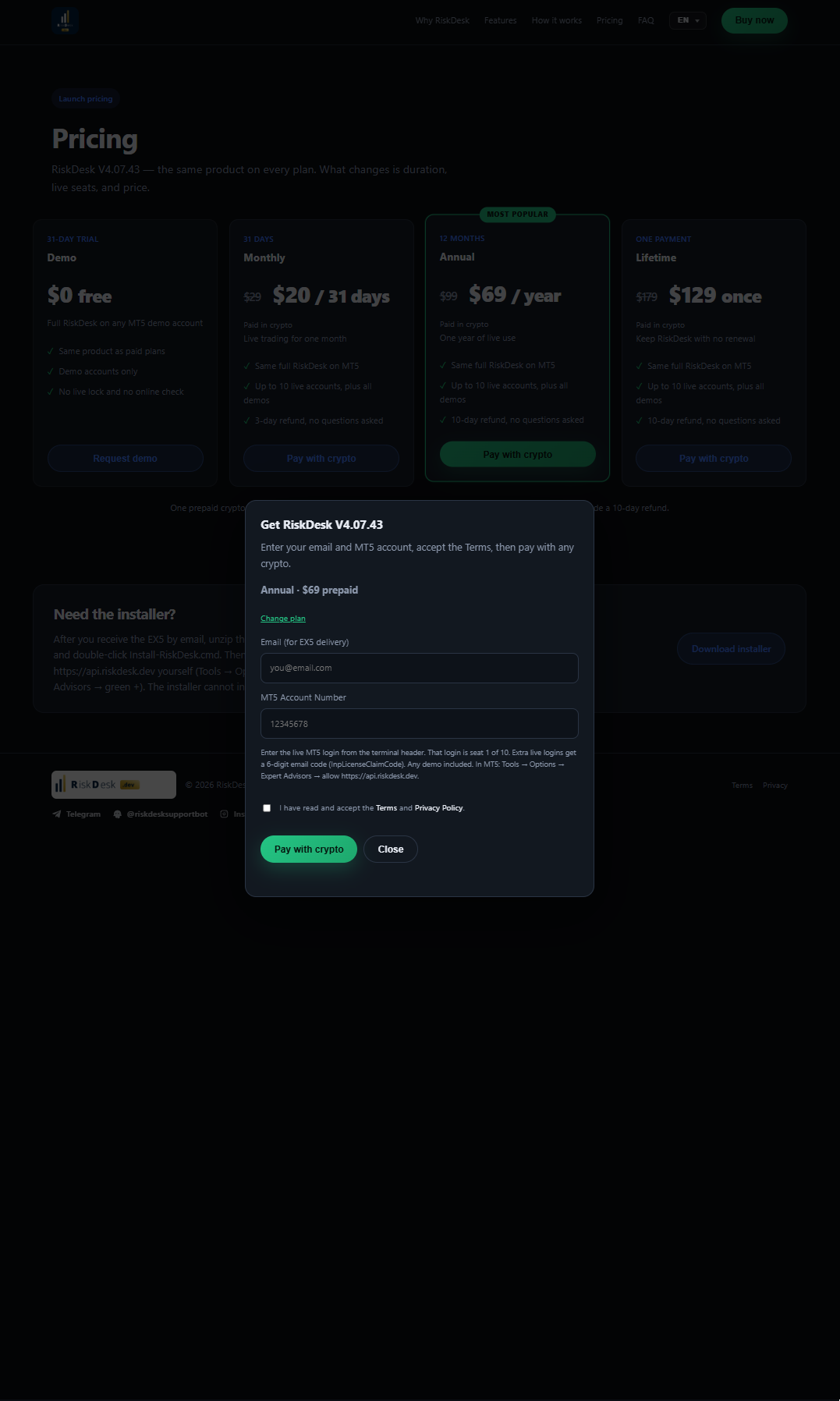
Pricing
  • Click Pay with crypto on your plan (Annual green button shown).
2 Email and MT5 account

Checkout form
  • Type your email (EX5 delivery).
  • Type your MT5 account number.
  • Tick Terms.
  • Click Pay with crypto.

Wrong email or account number = wrong license.
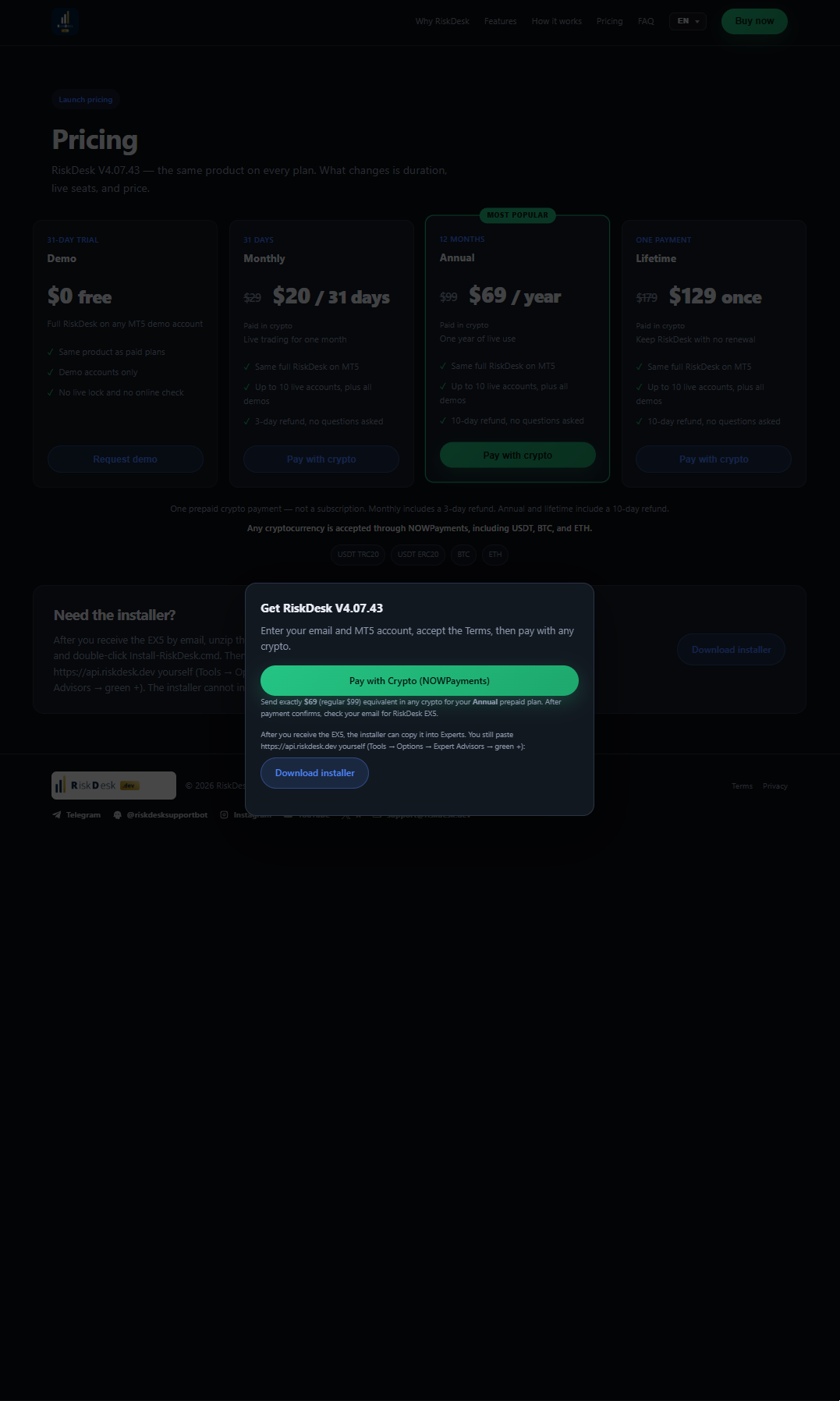
3 Open payment

NOWPayments button
  • Click Pay with Crypto (NOWPayments).

4 Choose your asset

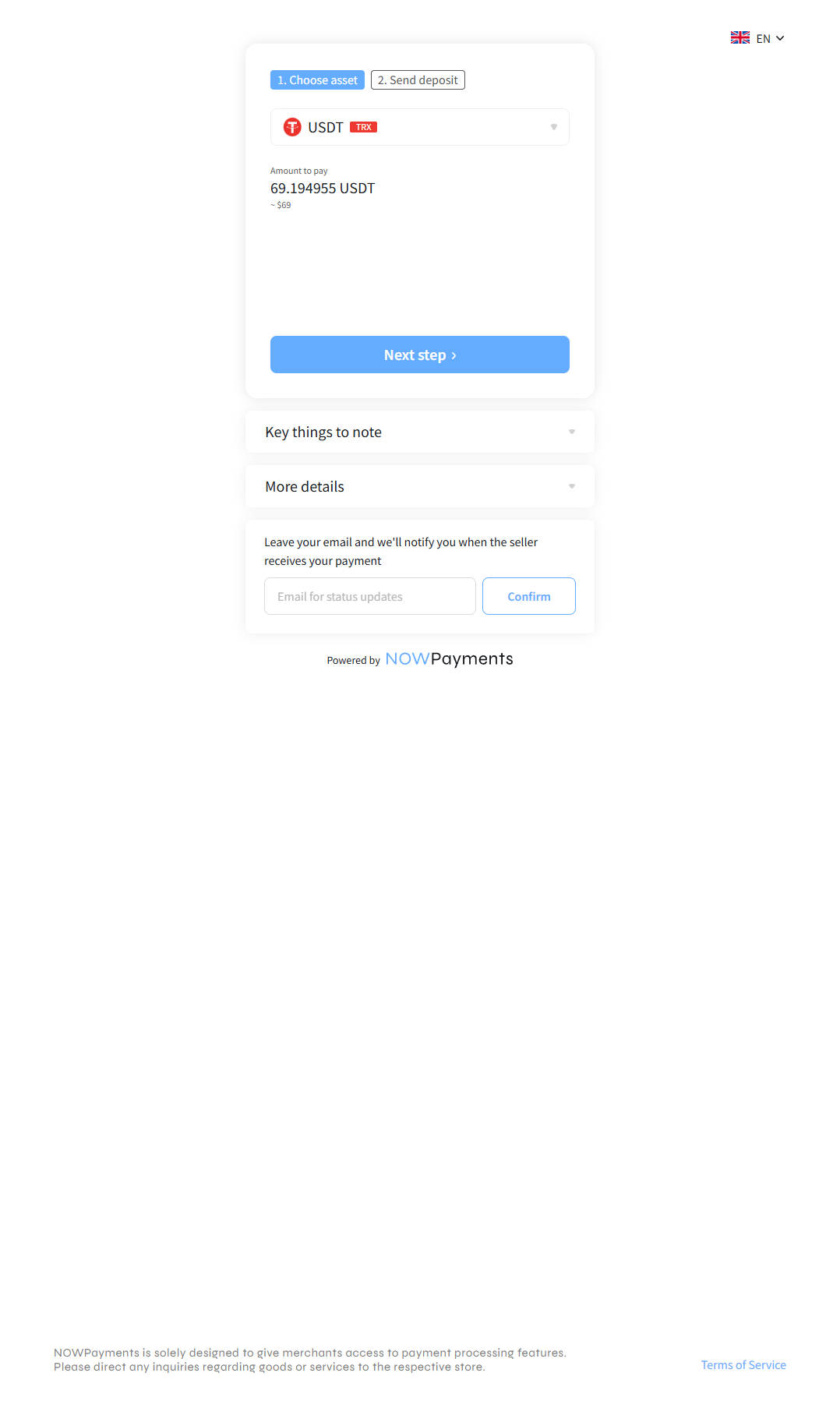
Choose asset
  • Select coin + network (example: USDT TRX).
  • Click Next step.

5 Use “With amount”

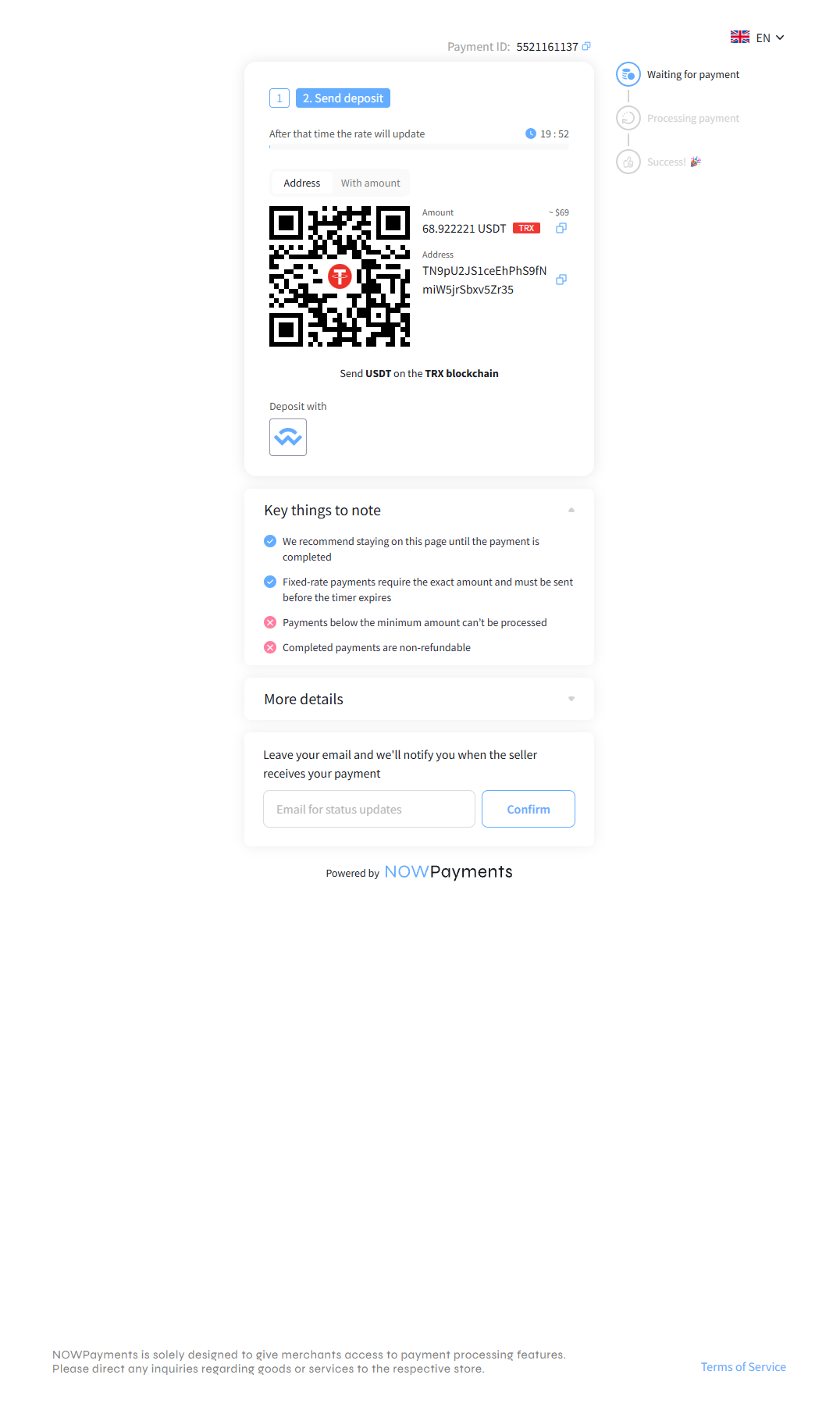
With amount QR
  • Open the With amount tab.
  • Scan this QR.
  • Or copy the exact amount (+ address below it).

Send the exact amount before the timer ends. Keep the payment page open.
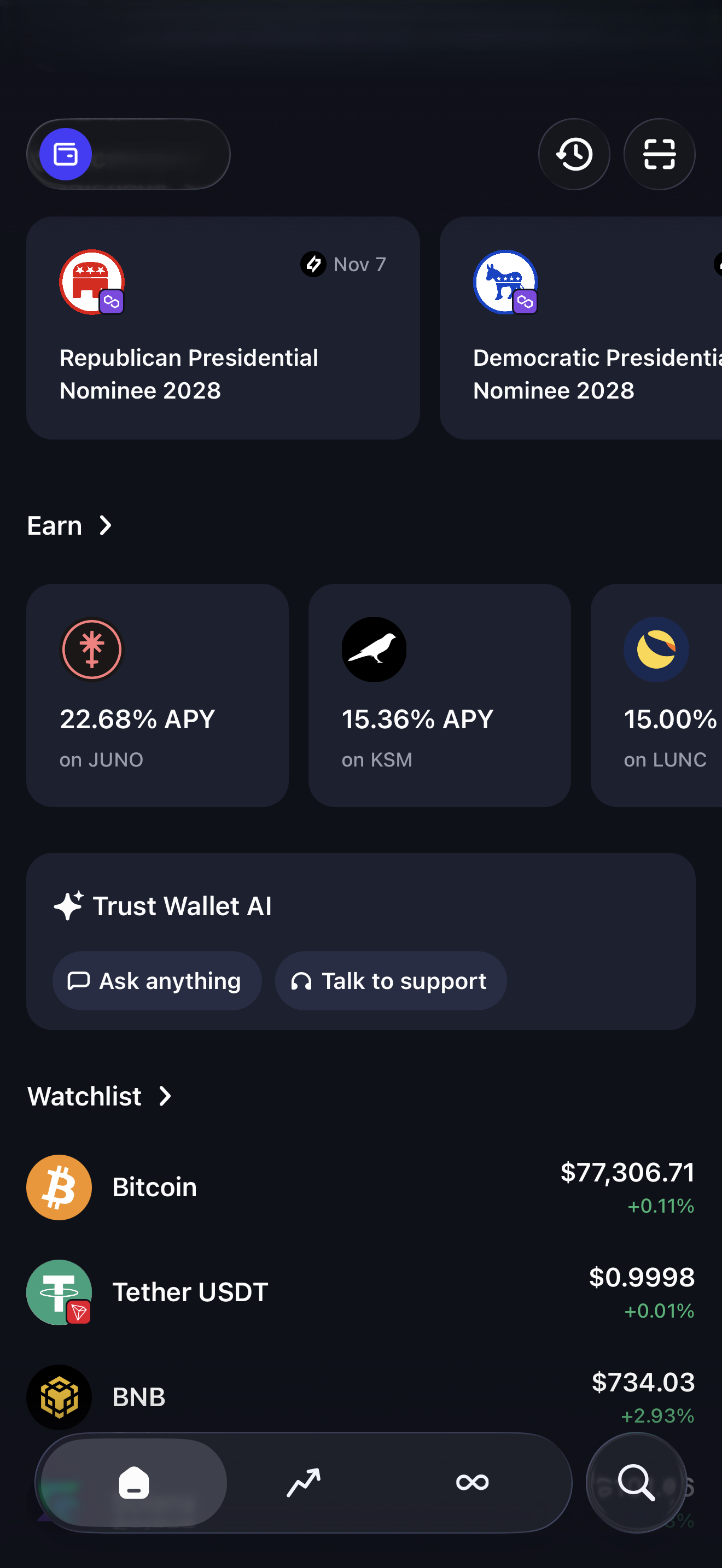
6 Open your wallet

Wallet home
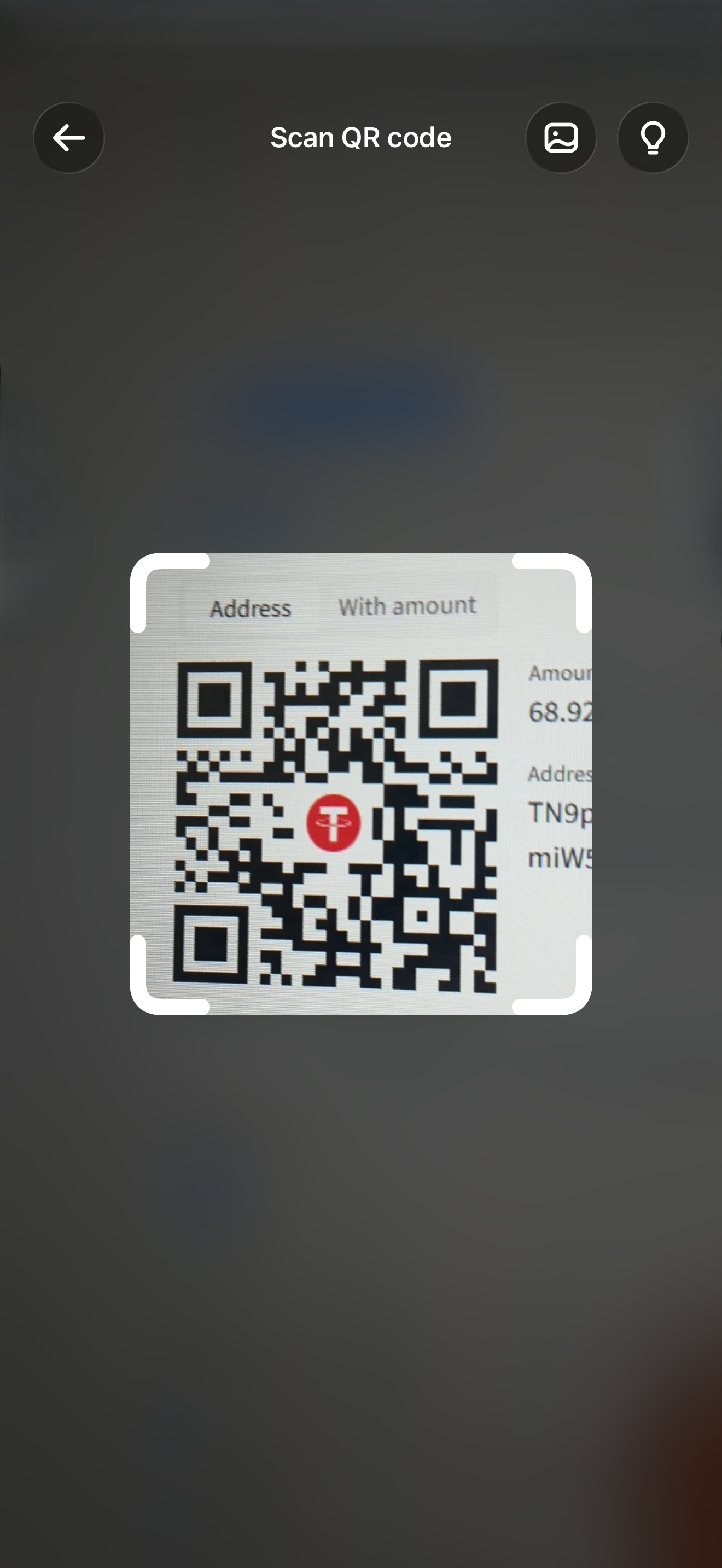
  • Tap Scan (or use Send on PC).

7 Scan or paste

Scan QR
  • Aim at the payment QR — or paste the address in a PC wallet.

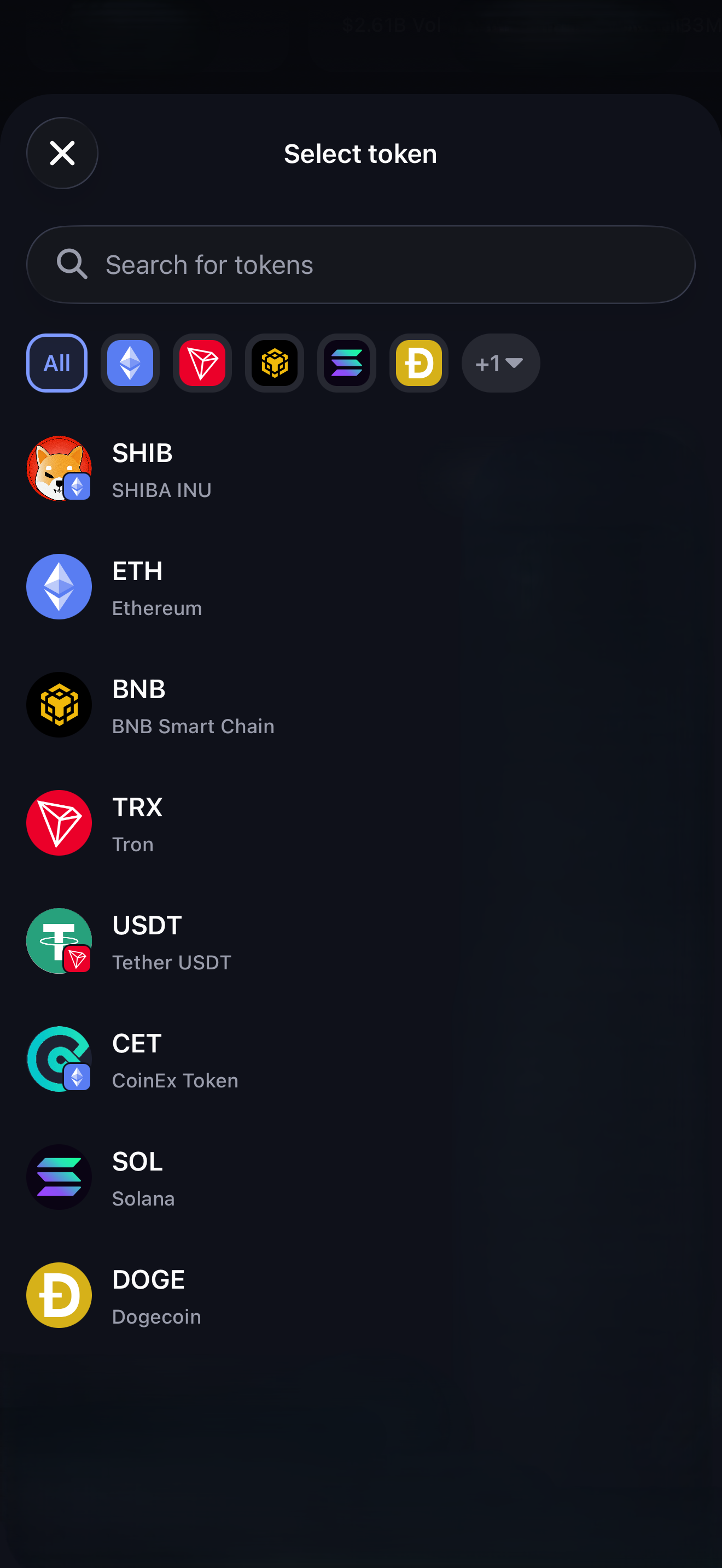
8 Same asset

Select token
  • Tap the same coin + network as NOWPayments.

Wrong network can mean lost funds.
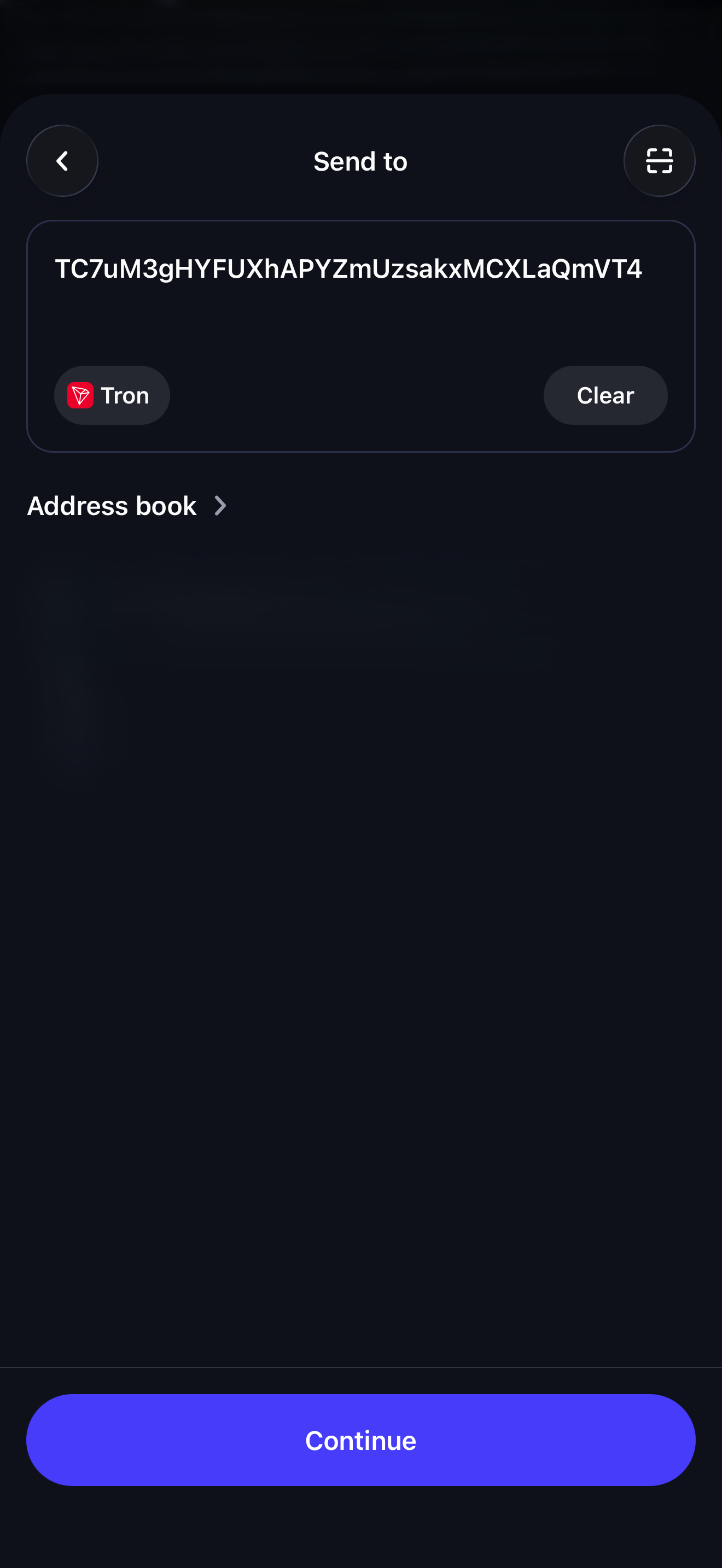
9 Check address

Confirm address
  • Address matches the payment page?
  • Network correct? (e.g. Tron)
  • Tap Continue.

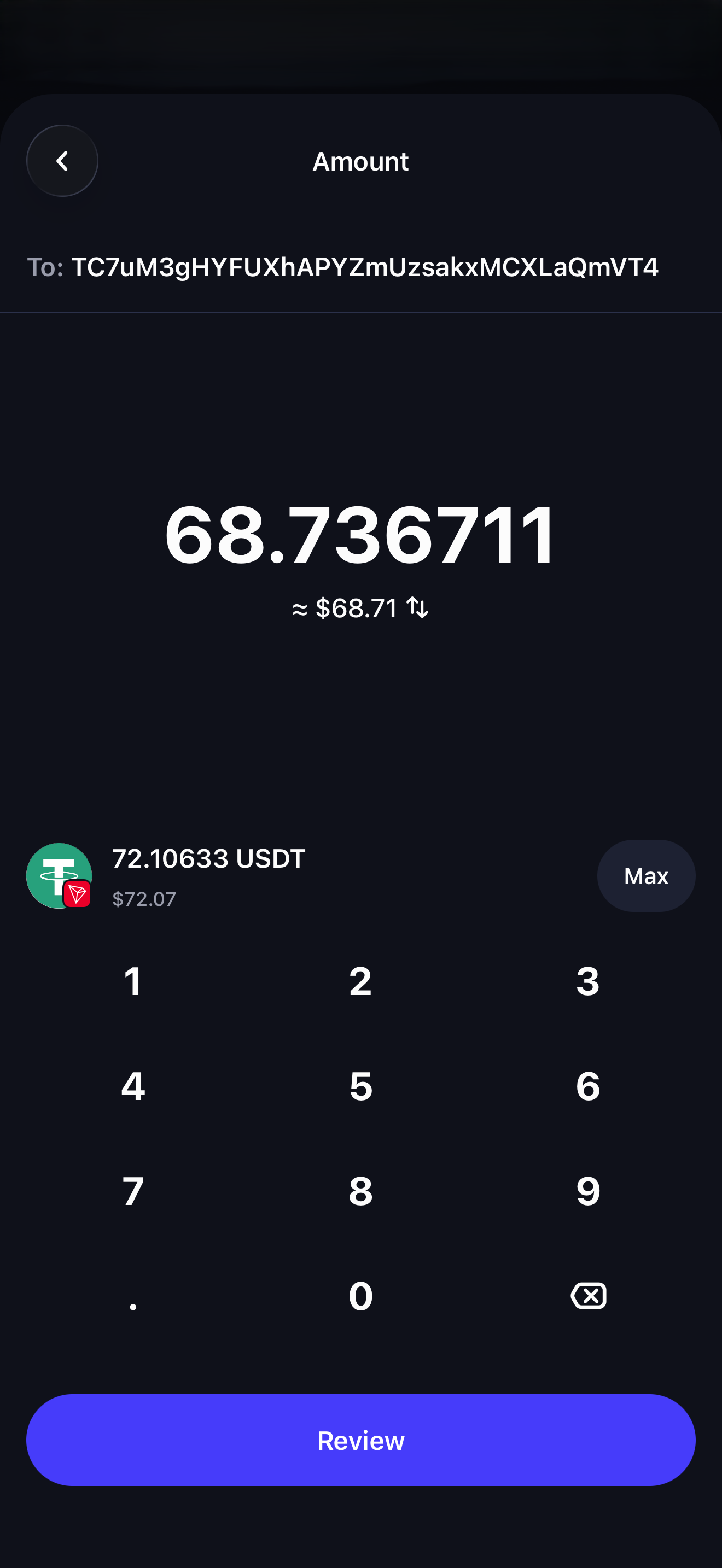
10 Check amount

Amount
  • Enter the exact amount from NOWPayments.
  • Tap Review.

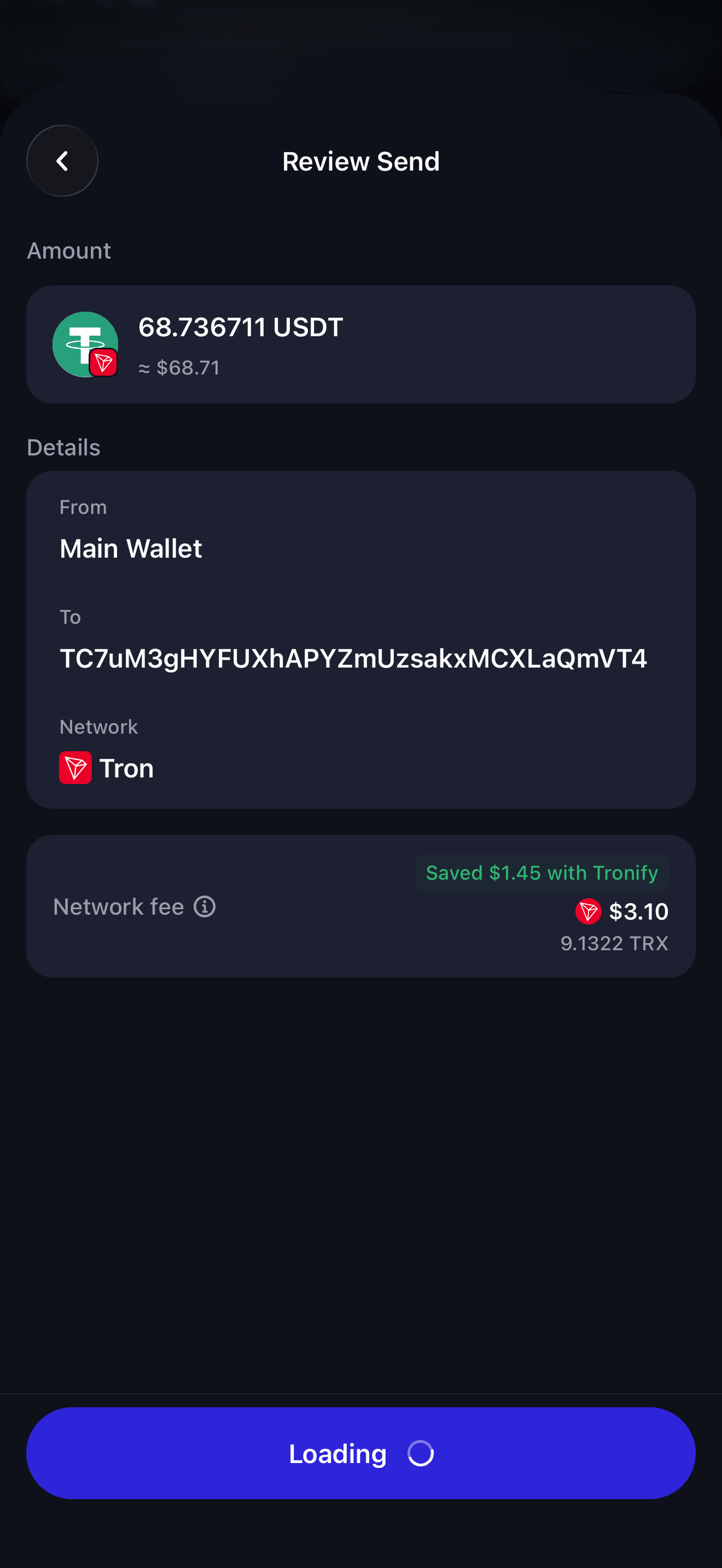
11 Review and send

Review send
  • Check amount.
  • Check address + network.
  • Confirm send.

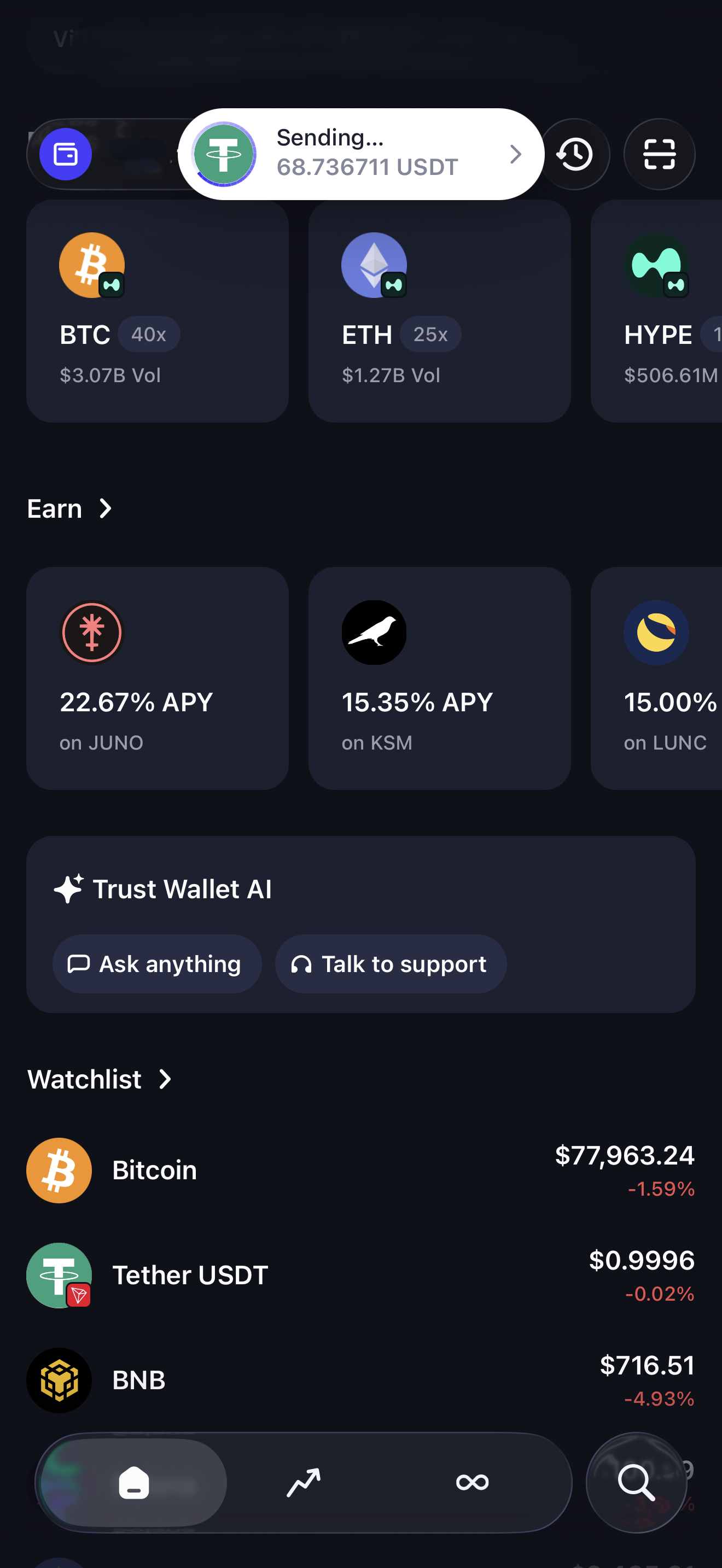
12 Sending

Sending
  • Transfer started — stay on the NOWPayments page.

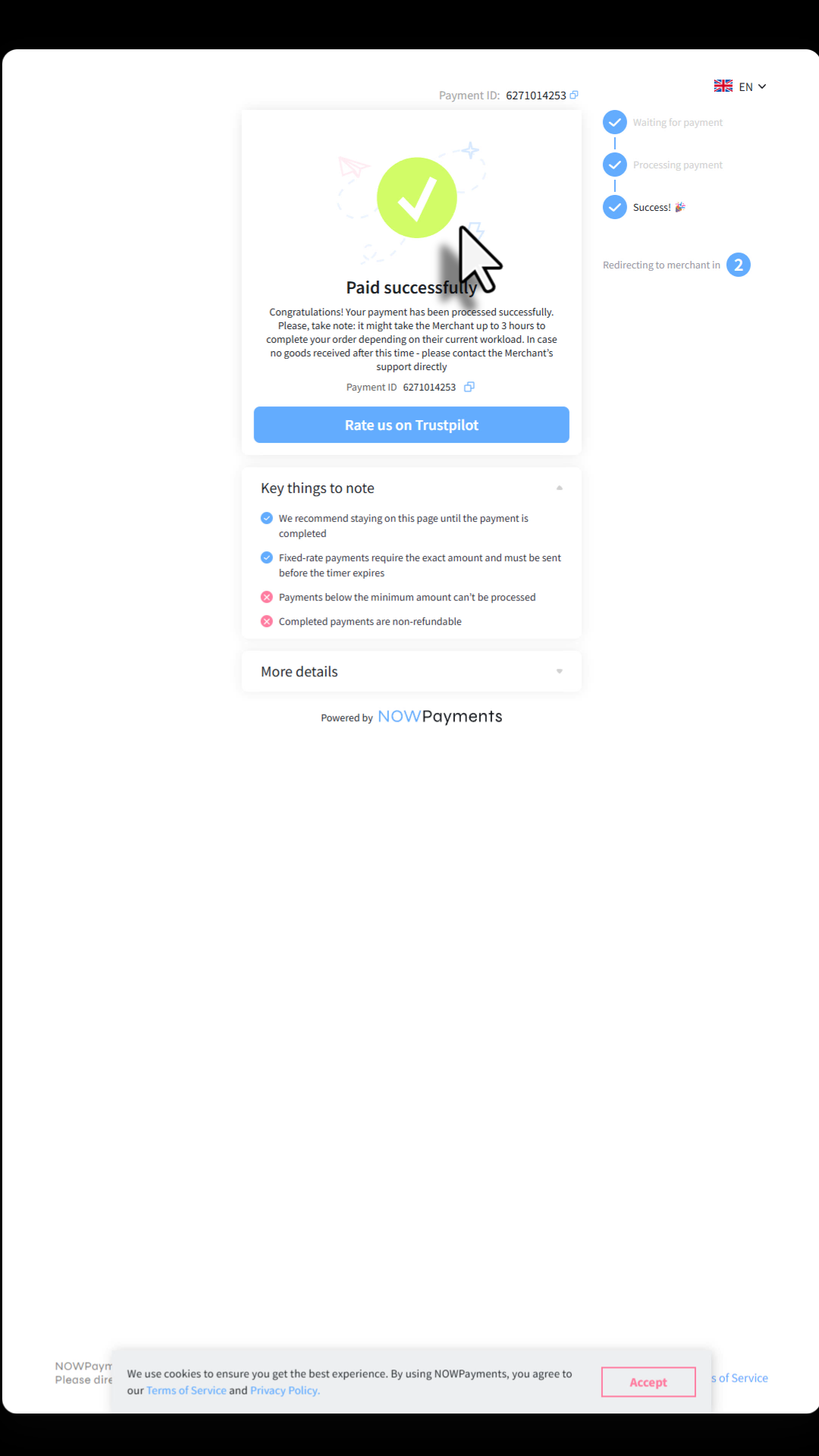
13 Payment complete

Paid
  • Paid successfully — wait for redirect to RiskDesk.

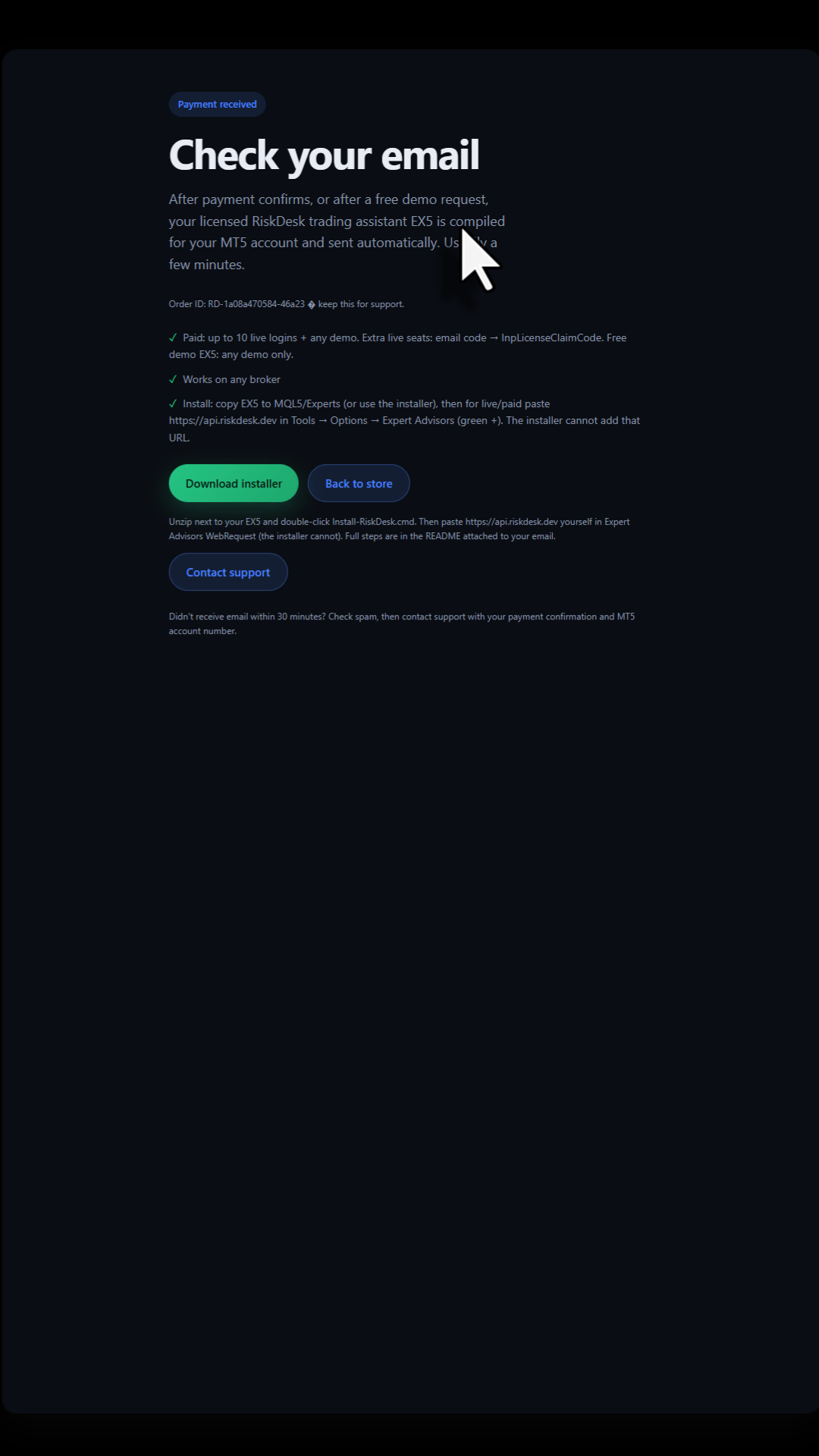
14 Check your email

Check email
  • Open your mailbox — RiskDesk EX5 is there.
  • Optional: Download installer.

No mail in 30 minutes? Check spam, then contact support.

After the email

  1. Unzip the installer next to the EX5 and run Install-RiskDesk.cmd
  2. In MT5 go to Tools → Options → Expert Advisors and add https://api.riskdesk.dev
  3. Attach RiskDesk to your chart